Workspace settings overview
Workspace settings hold the privileges and restrictions that apply to everyone in the workspace. Changing one here changes what every member can do — it is not a per-person setting.
Workspace settings are available to workspace administrators only. If you are not an administrator, the screen is not shown to you.
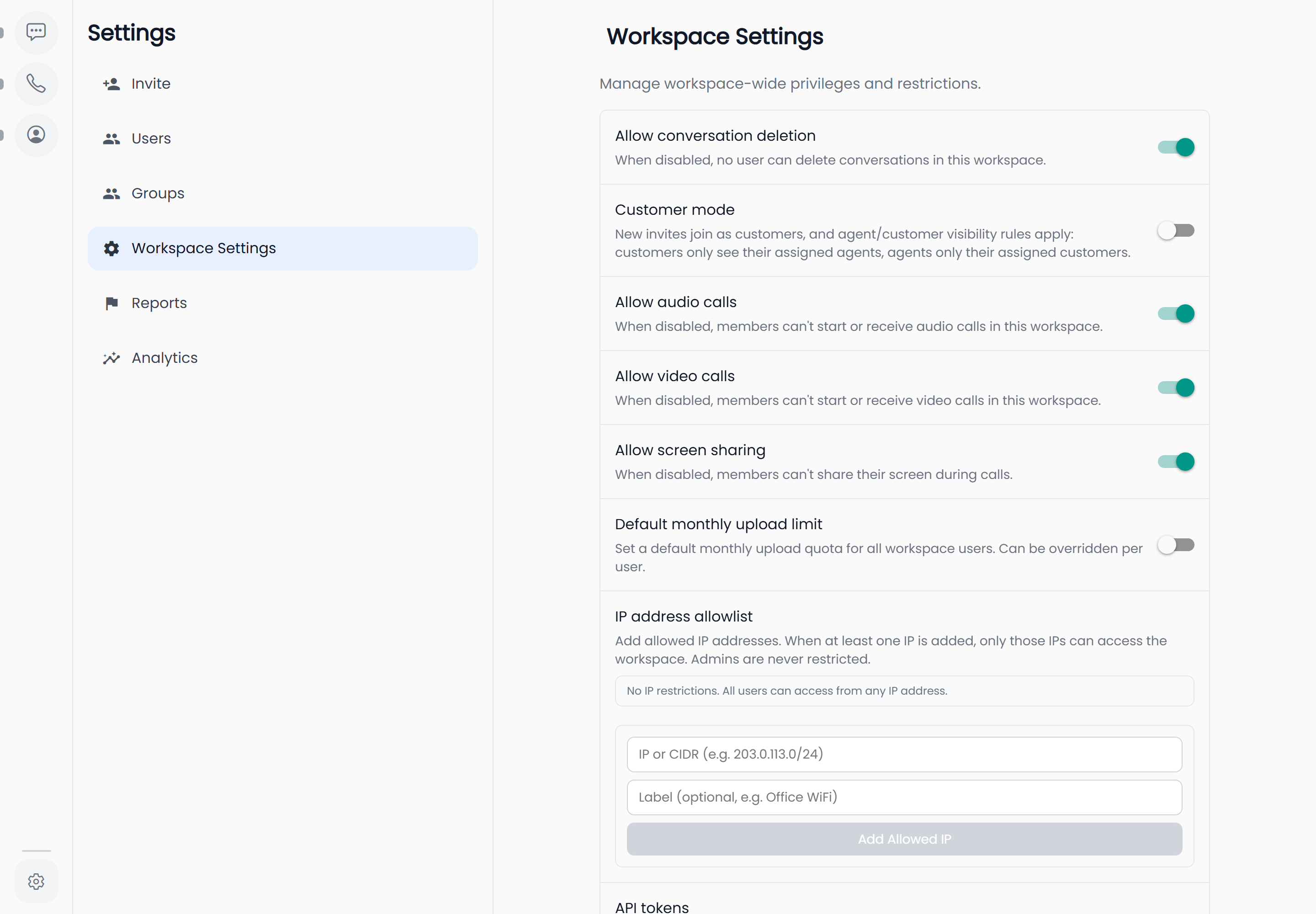
Where to find it
| Platform | How to get there |
|---|---|
| Web | Open Settings from the sidebar, then Workspace Settings |
| iOS and Android | Open the Admin tab, then Workspace Settings |
The screen is titled Workspace Settings and described in the app as "Manage workspace-wide privileges and restrictions."
The settings
Each row is a switch. Changes take effect for everyone as soon as you toggle them.
| Setting | Default | What it does |
|---|---|---|
| Allow conversation deletion | On | When disabled, no user can delete conversations in this workspace. |
| Customer mode | Off | New invites join as customers, and agent/customer visibility rules apply: customers only see their assigned agents, agents only their assigned customers. |
| Allow audio calls | On | When disabled, members can't start or receive audio calls in this workspace. |
| Allow video calls | On | When disabled, members can't start or receive video calls in this workspace. |
| Allow screen sharing | On | When disabled, members can't share their screen during calls. |
Turning a calling permission off removes the corresponding control from the app for every member — the call buttons stop appearing rather than failing when pressed. See Calling permissions for exactly what disappears in each case.
Turning Customer mode on changes nothing by itself — nobody is re-roled, and no existing member's view narrows. Two things follow from it: everyone you invite from then on arrives as a customer, and the agent/customer visibility rules start applying to a person once that person holds the Agent or Customer role. See Company setup, end to end for the order to do this in.
Beyond the switches
The same screen carries three further sections, each documented on its own page:
- Default upload limit — the monthly upload allowance every member gets unless you give them a personal one. See Upload quotas.
- IP restrictions — allow-list the addresses and ranges the workspace can be reached from. See IP restrictions.
- API tokens — generate and revoke tokens for machine access to the workspace. See API tokens.
What is not here
Anything about an individual person — their role, their personal upload limit, suspending them — lives under Users, not here. Workspace settings are workspace-wide by definition.